Quick Answer
LinkedIn now runs classic and AI-powered job search side by side, and no credible evidence says that's changing.
- Classic search is keyword and filter based. AI search interprets natural language queries
- The AI rollout is still gradual and regional, which is likely why "is LinkedIn dropping it" rumors started, not because of any actual scale-back
- Real user opinions are split: broad, exploratory searches tend to favor AI search; precise company-and-title searches tend to favor classic filters
- HideJobs filters listings from either search experience, so switching between them doesn't affect your filters. All of them keep working
What's different between LinkedIn's classic and AI-powered job search?
LinkedIn's classic job search works the way search boxes have worked for years: type a title, company, or keyword, then narrow the results with filters for location, experience level, and date posted. It is literal. If your keyword does not appear in a listing, that listing usually will not show up, no matter how relevant it actually is.
The newer AI-powered search, which LinkedIn began rolling out in 2025, takes a different input entirely: a plain-language description of what you want. LinkedIn VP of Engineering Wenjing Zhang described the old model bluntly: "We have all these keywords and filters. We're almost limiting you." The AI version is meant to interpret intent instead of requiring an exact match.
One example LinkedIn has used publicly makes the contrast concrete. A literal search for "entry-level marketer" under the classic system returned a scattered, mixed-relevance set of results. A broader, values-based query like "I want to protect the world's oceans" under the AI system is designed to surface niche environmental and sustainability roles that a keyword search would never have connected to that phrase.
LinkedIn's own Help Center is direct about where the rollout stands: "We're gradually making this experience available, and you might not have access to it at this time." That single line explains a lot of the confusion around this topic. Depending on your account and region, you may see classic search, AI search, or both, and that inconsistency is a big part of why rumors about LinkedIn abandoning one or the other have started circulating.
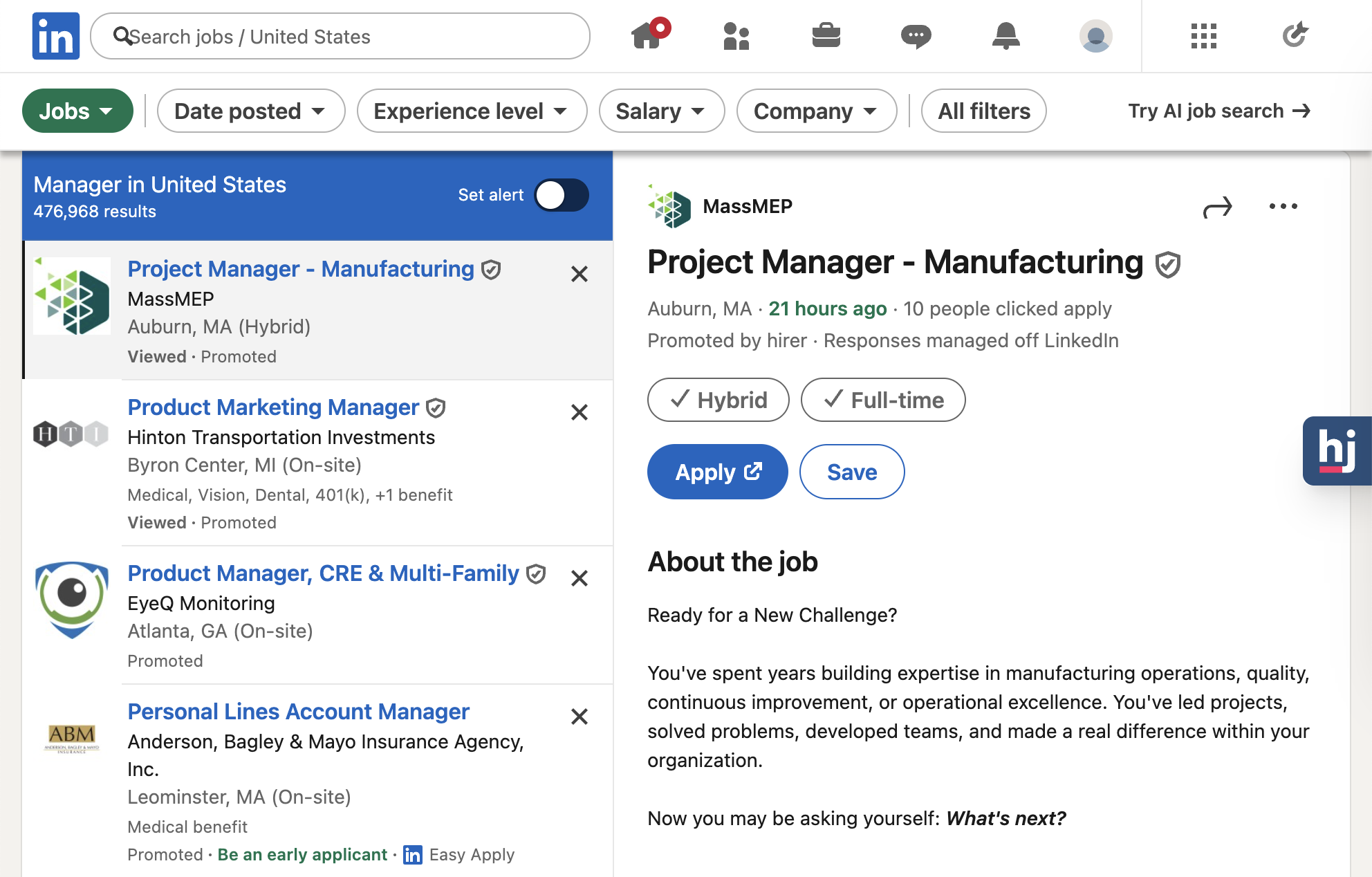
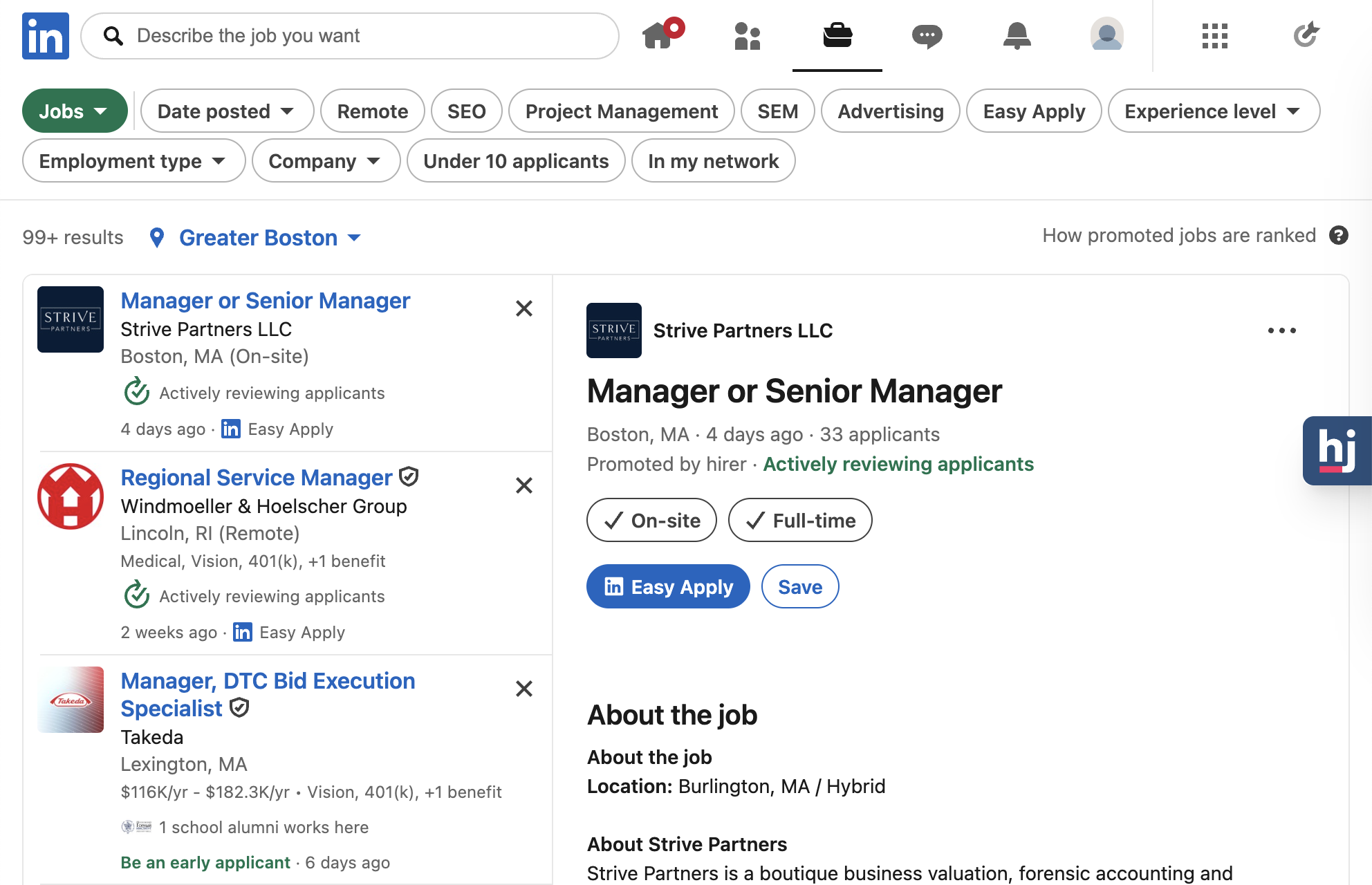
| Classic Search | AI-Powered Search | |
|---|---|---|
| URL | linkedin.com/jobs/search | linkedin.com/jobs/search-results |
| Query style | Keywords and filters | Natural language, plain-English intent |
| Best for | A specific company, title, or location | Broad or exploratory searches |
| Common complaint | Misses relevant roles that don't use your exact keyword | Can return irrelevant or oddly broad matches |
| Rollout status | Available to all accounts | Gradual, account and region dependent |
| Works with HideJobs | Yes | Yes |
What do job seekers and recruiters actually think of it?
LinkedIn's official framing is that AI search unlocks roles job seekers would never have found by keyword. The reaction from job seekers and recruiters discussing it online has been more mixed, and the complaints are specific rather than vague.
The most common one: when you already know the exact company and city you want, writing out a natural-language prompt feels slower and less precise than just filtering directly. Interpretation can also drift depending on how a query is phrased, occasionally surfacing results that miss the mark, and spam or fake-company listings still get through regardless of which search mode is used.
The trade research firm eMarketer has raised a more structural version of the same concern: AI matching is only as good as the job descriptions behind it. Vague or inconsistent postings make accurate matching harder, transferable skills that matter for career-changers can get overlooked, and the ease of natural-language search may encourage exactly the kind of high-volume, low-thought applying that makes job searches harder for everyone.
What people report:
- Precise searches (a specific company and city) feel slower and less exact with AI search
- Search interpretation can vary by phrasing, sometimes returning off-target results
- Spam and fake company listings show up regardless of which search mode you use
Is LinkedIn actually planning to drop AI-powered search?
Given how inconsistent the rollout has felt, and the number of "how to switch back to classic search" guides now circulating, it is a reasonable question: is LinkedIn quietly backing away from AI-powered search? The evidence says no.
As recently as January 2026, LinkedIn was still expanding AI search, not scaling it back. LinkedIn's own Newsroom announced it was extending the same natural-language approach from job search into people search. Shortly after, LinkedIn VP Erran Berger announced the job search feature was rolling out globally across five languages. LinkedIn's chief people officer Teuila Hanson made a similar point that same month, in a Fortune interview. She said she was "encouraged to see more people using AI in ways that genuinely help them show up with confidence." That statement only makes sense if the company is still pushing adoption forward, not pulling back.
There is a real, documented toggle involved here, which is likely where some of the rumor originates. LinkedIn's Recruiter Help Center confirms that AI-Assisted Search is the default for recruiters, but users can set traditional keyword search as their default instead under AI preferences. That is normal product flexibility, not evidence that LinkedIn is walking the feature back. If anything, the Help Center frames AI-assisted search as the durable default going forward.
What the evidence actually shows:
- No official LinkedIn statement or credible reporting supports a job search AI rollback
- Every dated announcement found through January 2026 describes expansion, not retreat
- A genuine setting exists to prefer keyword search, which is likely feeding the rumor
When classic search is still the better tool
None of this means AI search is strictly better. For certain kinds of searches, classic filters remain the faster, more reliable tool, and the people who prefer classic search are usually describing one of a few specific situations.
The clearest case is when you already know exactly what you are looking for: a specific company, a specific title, a specific city. That is precisely the scenario behind the Blind complaint above, someone who just wanted to filter by company and city instead of writing out a prompt and hoping the interpretation landed correctly.
There is also a data point worth taking seriously, even though it comes from a single source rather than a study. One LinkedIn creator, testing the AI search while it was still in beta, reported it surfaced noticeably fewer listings than classic search did for the same criteria. If you are casting a wide net and want to see every listing that might match, not just the ones an AI model judged most relevant, classic search's more exhaustive, literal matching is the safer choice.
Classic search still wins when:
- You know the exact company, title, or location you're targeting
- You want to see every listing that matches your keyword, not a curated subset
- You're stacking several specific filters at once (location, date posted, experience level)
- You've had AI search return results that felt too broad or off-target for your query
How do you get LinkedIn's classic search back?
If you want classic search back, the most direct route is going straight to linkedin.com/jobs/search instead of clicking through LinkedIn's main Jobs tab, which is more likely to route you into the newer AI-powered experience at linkedin.com/jobs/search-results.
This will not work identically for every account. Because the AI rollout is still gradual, per LinkedIn's own Help Center language, what you see depends on your account and region, and LinkedIn does not always make it obvious which version you have landed on. If the classic filters do not appear right away, it is worth checking again after clearing your search history or trying the URL directly on desktop rather than mobile.
If you're not seeing classic search:
- Go directly to linkedin.com/jobs/search rather than the general Jobs tab
- Try the desktop site if you're currently on mobile
- If neither works yet, check back later. LinkedIn's rollout is account and region dependent, so what you see today may differ from what someone else sees, and from what you see next month
Which one should you actually use
Realistically, you do not need to pick one permanently. Use AI search when you are exploring broadly or you are not sure exactly what title to search for. Switch to classic search when you know precisely what you want: a named company, a specific role, a specific city.
Whichever one LinkedIn shows you, HideJobs works the same way underneath it. The extension filters out applied jobs, reposted listings, promoted placements, and anything matching your blocked keywords or companies directly from the results page, whether those results came from a classic keyword search or LinkedIn's AI-powered search. Switching between the two does not reset your filters or change how HideJobs behaves.
That wasn't always the case. While LinkedIn's AI search was still in beta and its layout kept shifting, HideJobs' filters didn't reliably work on it, and support requests about it picked up fast. Starting with version v.4, HideJobs fully supports AI search results, including Deep Scanner detection for reposted jobs and listings with 100+ applicants.
If cluttered or repetitive results are a big part of your frustration with either search mode, keyword filtering is worth setting up regardless of which search you land on. It removes categories of roles you already know are not a fit before you have to scroll past them again.

Anton writes about job search problems from firsthand experience. He builds tools to solve issues like repeated listings, irrelevant results, and inefficient filtering across job platforms.
Related Resources:
- How to Filter Jobs by Keywords - Block irrelevant listings by keyword across LinkedIn and other job boards
- Ghost Jobs: What They Are and How to Spot Them - Avoid wasting applications on postings that will never hire
- How to Hide Promoted Jobs on LinkedIn - Why promoted listings dominate search results and how to remove them